QR menu · kiosk · AI
More orders. Less pressure.
Reduce staff workload, speed up service and grow the average check. Orders and operations stay synchronized with iiko or Poster.
Over the last month
- 130 000+
- orders have gone through AI Lillu
- ₸730M+
- restaurant turnover through our channels
- 3 000+
- orders every day
- 114+
- locations are taking orders
Business outcomes
What the restaurant gets
Average check
A higher average check through recommendations, combos and upselling.
Team workload
Less pressure on waiters, cashiers and operators.
Operations control
Transparent control of procurement, inventory and operating metrics.
Products
Everything for ordering and operations
Add only the modules you need.
Choose a product
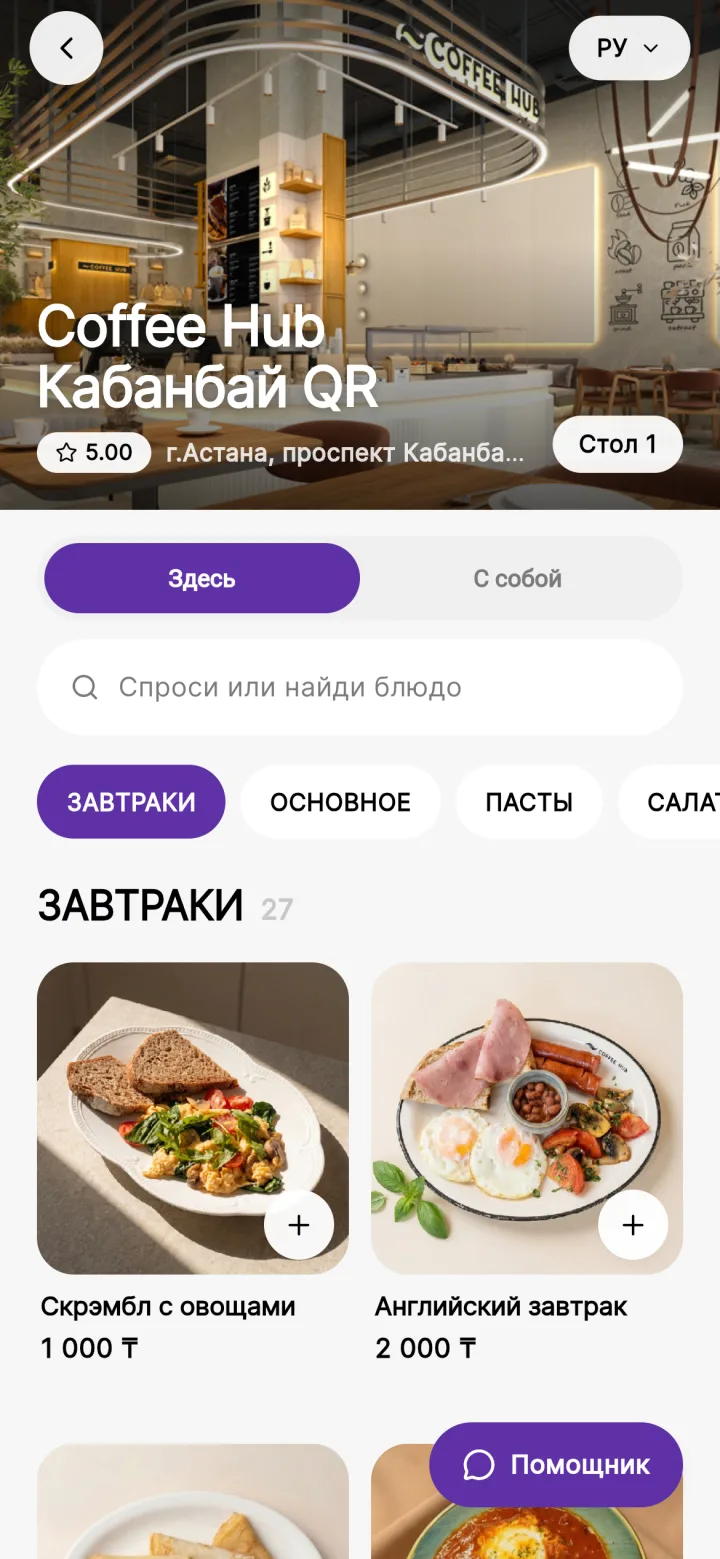
 Live QR menu exampleCoffee Hub
QR menu and AI waiter
The guest opens the menu by QR, checks ingredients, builds an order and sends it to iiko or Poster without waiting for a waiter.
- The AI waiter answers questions about ingredients, taste, allergens and pairings.
- Recommendations, combos and upsells in the dish card and in the cart.
- Up-to-date stop lists, prices and promotions from iiko or Poster.
- Online payment: Kaspi, Apple Pay, Google Pay.
Branded Coffee Hub QR menu
Already using AI Lillu
QR, kiosks, apps and inventory — across different restaurant formats.

FAQ
Launch, in brief
Integration, timing and scale.
No. It is usually better to start with one bottleneck: queues, WhatsApp ordering, QR menus, a direct sales channel or inventory. Once the workflow is proven, the module can be rolled out to other locations.
The POS system — iiko or Poster — remains the central data system. AI Lillu reads menu items, prices, modifiers, stop lists, stock levels and statuses from it, then writes orders or goods-receipt documents back without duplicate entry.
Yes. AI Lillu integrates with Poster: it synchronizes menu items, prices, modifiers and availability, then sends completed orders to Poster. Available workflows depend on the selected product and the restaurant configuration.
Timing depends on the module and data quality. QR and WhatsApp usually launch faster; inventory and the app require more alignment on catalogs, roles, payment flows, branding and operating rules.
We need access to the POS system (iiko or Poster), an up-to-date menu, a responsible employee, a description of the current process and a decision on which area to automate first.
Yes, but after the pilot. First, one scenario is tested at one or several points, then the configuration is transferred to the network, taking into account differences in menus, warehouses, roles and payments.
Next step
Get the AI Lillu presentation for your team
See the products, restaurant use cases, rollout scenarios and launch options for one venue or an entire chain.
Sell AI Lillu to your clients
We provide the demo, materials and handle the launch.