Procurement and inventory

Procurement without spreadsheets or duplicate entry

Request, supplier, receiving and iiko sync in one workspace.

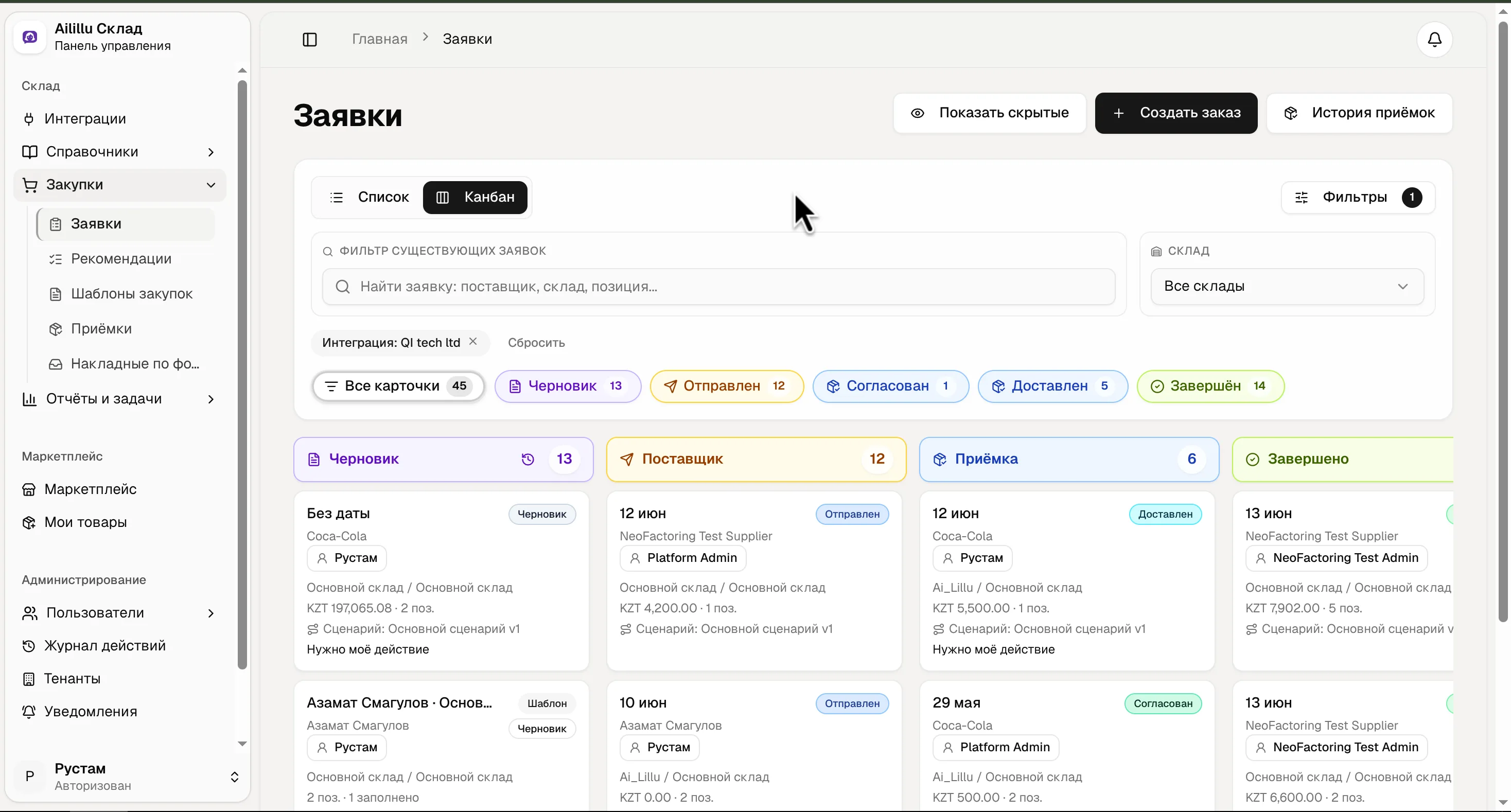
Inventory admin panel: kanban of supplier requests
Supplier requests

Product details

What it solves and how it works

An operational workflow for procurement, receiving, invoice checks and inventory control.

What it solves

  • Requests and confirmations from suppliers are sent via WhatsApp and Excel.
  • Invoices are entered manually and checked after the fact.
  • Delivery discrepancies are brought to management late.
  • Procurement is not always based on sales and current stock.
  • The supplier must be paid now, while revenue from the goods arrives later.

Business outcome

  • Less manual entry of invoices.
  • Discrepancies are visible during acceptance.
  • Purchases can be linked to inventory and sales.
  • Procurement without cash gaps: the purchase price for the restaurant stays the same.

Key capabilities

  • Purchase forecasting based on sales history, seasonality, weekends and holidays.

  • Automatic supplier requests (auto-ordering).

  • AI recognition of invoices from photos and PDFs.

  • An automatic goods receipt document in iiko.

How it works

  1. The responsible employee prepares a supplier request.

  2. During receiving, they upload a photo or PDF of the invoice.

  3. AI recognizes the document and highlights discrepancies.

  4. The confirmed goods receipt is posted to iiko.

  5. Factoring is available inside the request: the supplier is paid immediately and the restaurant pays with a deferral of up to about two months.

Next step

Get the AI Lillu presentation for your team

See the products, restaurant use cases, rollout scenarios and launch options for one venue or an entire chain.